GenAcsTok
Request to be POSTed to uri : /NorenWClientTP/GenAcsTok
Request Details
| Parameter Name | Possible value | Description |
|---|---|---|
| jData* | Should send json object with fields in below list |
| Json Fields | Possible value | Description |
|---|---|---|
| code* | code will get from successful login url | |
| checksum* |
It is a SHA-256 hash created from the combination of the app key, secret key, and code without any spaces. Example: If your app key is ABC, secret key is 123, and code is x1y2z3, Combine them as: ABC123x1y2z3 Then generate the SHA-256 hash of that string. |
Example:
curl -location 'https://api.infinn.in/NorenWClientTP/GenAcsTok' \
-d 'jData={"code":"v1c6d38b-7c0e-46e4-8abe-acb1f6a15089",

"checksum":"c5f9e0537cfa219885495ace4930b38280a39790ad43a4e713afd27e6ec93c5"}'
Response Details
Response data will be in json format with below fields.
| Json Fields | Possible value | Description |
|---|---|---|
| stat | Ok or Not_Ok | Login Success Or failure status |
| uname | User name | |
| actid | Account id | |
| Email id | ||
| brkname | Broker id | |
| uid | User id | |
| cnm | Company Name | |
| emsg | Display message (It will be present only in case of errors.) | |
| access_type | Access Type | |
| access_token | Access Token | |
| refresh_token | Refresh Token | |
| expires_in | Access Token Expire date | |
| request_time | It will be present only on login success. |
Sample Success Response:
{
    "request_time":"20:18:47 19-05-2020",
    "stat":"Ok",
    "access_token":"e49d37bb203ad9eb5ea512d967fad5b18af504814a6b90209e21aa76e687c",
    "expires_in":"1756990407",
    "refresh_token":"51444ac9b561e007411425d440012a6d41a0d49f1413de26c1d400d52143b79",
    "lastaccesstime":"1589897972"
}
Sample Failure Response:
{
    "stat":"Not_Ok",
    "emsg":"Invalid Input : INVALID_VERIFIER",
    "uid":"TEST"
}
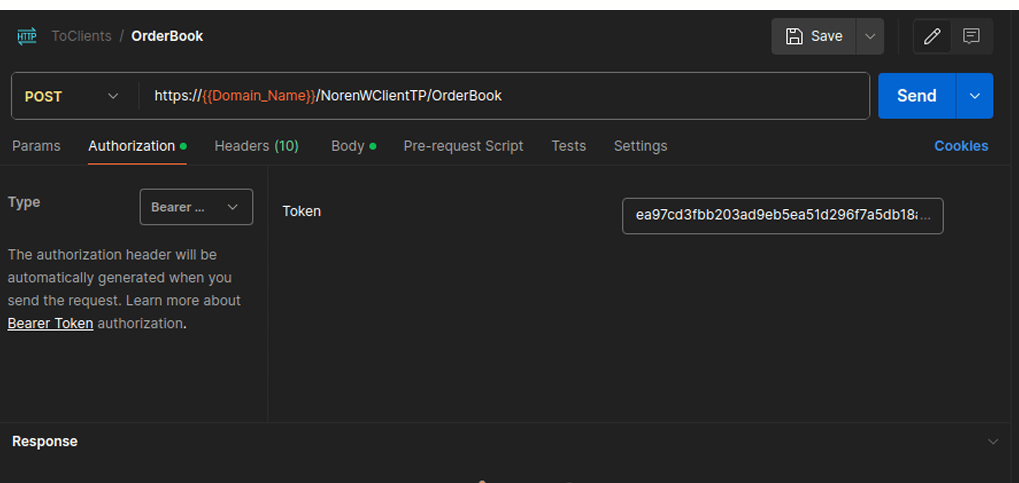
This Postman screenshot demonstrates how to include the access token in the request header under the Authorization field.